
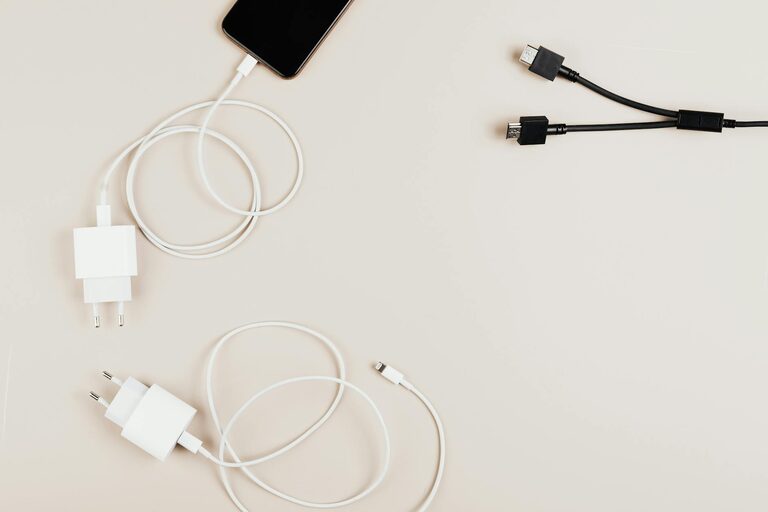
Setting up a dedicated charging station for your devices can simplify your daily routine, reduce clutter, and ensure your gadgets are always ready to go. Whether you’re looking to organize smartphones, tablets, laptops, or wearable devices, having a designated space to charge them offers both convenience and efficiency.
In this guide, we’ll walk you through how to create your own charging station, including choosing the right location, selecting charging equipment, organizing cords, and maintaining the setup for long-term use.
Why Create a Charging Station?
With multiple devices in most households, cords and chargers often get tangled, misplaced, or scattered. A charging station helps by:
– Centralizing charging in one accessible spot
– Reducing clutter caused by loose cables and chargers
– Protecting devices by charging in a safe, stable area
– Saving time looking for chargers or outlets
– Making it easier to monitor charging status
Now, let’s explore how to set up one that fits your space and needs.
Step 1: Choose the Right Location
The best place for your charging station depends on your daily habits and available space. Consider these factors:
– Accessibility: Pick a spot where you frequently drop your devices, such as near your desk, living room, or bedside table.
– Power outlets: Ensure there are enough outlets nearby to support multiple chargers or a multi-port charging hub.
– Ventilation: Avoid cramped areas to prevent devices from overheating while charging.
– Safety: Keep the station away from water sources or places pets or children may disturb it.
Some popular locations include a corner of your desk, a shelf in a communal area, or a small table near the entryway.
Step 2: Gather Charging Equipment
The hardware you choose depends on the number and type of devices you want to charge.
Chargers and Hubs
– Multi-port USB charging hubs: These allow several devices to charge simultaneously and reduce the number of wall plugs needed. Look for hubs with fast-charging support if your devices are compatible.
– Wireless charging pads: Perfect for compatible smartphones and earbuds; these pads reduce cable clutter.
– Individual chargers: If devices have different charging needs, keep specific chargers for laptops or specialized gadgets.
Cables and Adapters
Make sure your cables are the right length—not too long to cause tangles but long enough to reach your devices comfortably. Using durable, high-quality cables will also help prevent wear and tear.
Storage and Organization Tools
– Cable organizers: Cable clips, ties, or sleeves keep cords neat and prevent tangling.
– Docking stations: These come with dedicated slots for devices like phones, tablets, and watches.
– Containers or trays: Small bins or trays can hold accessories like adapters, earbuds, or power banks.
Step 3: Set Up Your Charging Station
Arrange Chargers and Devices
– Place your charging hub near the power outlet.
– Connect your chargers, ensuring cables are neatly plugged in and routed.
– Set up wireless chargers on flat surfaces for easy access.
– Slot devices into docks or place them on charging pads without overlapping.
Organize Cables
– Use cable clips or ties to bundle excess lengths and prevent tangles.
– Label cables if needed, to quickly identify the device each belongs to.
– Route cables behind furniture or along walls to keep them out of sight.
Enhance Usability
– Add a small lamp or indicator light to see device status easily.
– Keep a small notepad or checklist nearby to track device charging times if needed.
– Consider placing a power strip with surge protection to safeguard your devices.
Step 4: Maintain Your Charging Station
Routine upkeep keeps your station working well:
– Regularly untangle and inspect cables for damage. Replace any frayed or faulty cords.
– Clean the area to avoid dust buildup around chargers and devices.
– Update your setup as you add or replace gadgets. Switch out chargers or hubs to match new requirements.
– Test charging speeds and connections occasionally to ensure everything is functioning efficiently.
Bonus Tips for a Smart Charging Setup
– Use smart plugs or timers to control when charging happens, avoiding overcharging.
– Integrate with smart home systems if compatible, to monitor device status remotely.
– Opt for eco-friendly chargers that minimize energy consumption.
– Personalize your station with decorative elements that match your space and style.
—
By following these steps, setting up a practical and tidy charging station becomes an easy project that pays off with improved organization and device readiness. Whether for your home office, bedroom, or shared living areas, a well-planned charging station helps keep all your essential devices charged and accessible.
Give it a try and enjoy the convenience of a clutter-free, efficient charging space!